Hello, and welcome back to the Vandemonian homesteader. I hope that you’ve had yourself another fantastic week. Things down here in Tassie have been going well. There’s been a few good days of rain. And we even got a few dustings of snow on top of Mount Wellington, which makes for a lovely, if not distracting, view as you drive anywhere in Hobart.
Since my last post, I have been busy caring for and maintaining the new compost heaps. Despite the rain we’ve had recently, the chicken wire heap I made last week is a bit dry in the centre, so I’m starting to give it a light water every few days as well as a turn. I also suspect it could do with some more greens, so I will have to add another bag of food scraps when I can get one from work. Hopefully, that will help bring it back into balance.
While one compost bin needs greens, the other desperately needs browns. It turns out that the plastic black dome composter that I bought is currently just greens. This was an easy fix as I raked up some leaves and got some old newspapers from work that were both added to the heap.
Another job I managed to check off the list was repotting some of the fruit tree seedlings that are currently living under the lights of the indoor propagation station. They were at that point where they needed a newer, bigger pot.
To be honest, now that the temperatures are dropping down into single digits, that station is beginning to prove itself. Of the five shelves, only two have grow lights, and one has a heat mat. But seeing how well some of the plants adapt to it, I am looking to get a few more grow lights and another heat mat or two.
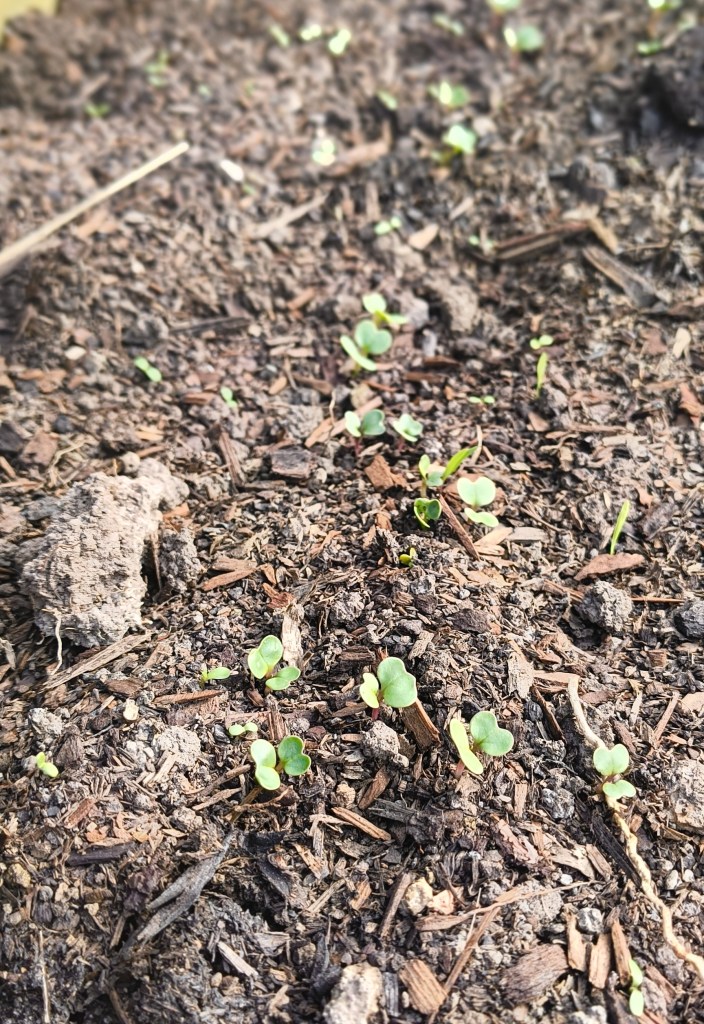
I was also able to get out and sow some seeds into the new timber garden bed. Sitting at roughly 8×3 feet, give or take a little. I chose this size because it allows me to have enough space for three rows down the length of the bed. I thought I might try to loosely follow the idea of square-foot gardening and allow each row to take up a foot. At the very least, I figured it might help me keep track of the spacing of my plants.
I ended up sowing two crops, broad beans and pak choi. The broad beans were sown along the short end of the new bed in two rows. While cleaning out the shed, I found an old piece of mesh that would make a great bean climbing frame. It fits pretty well along one of the ends of the bed. So, the plan is that when they start to sprout, I will stake the mesh down between them, and they can use it as a climbing frame.
In the opposite direction, running down the length of the bed I have sown three rows of pak choi. I chose it simply because I like eating it and because it grows well at this time of year. It can be beautiful and crisp when cooked in a stir fry and goes just as well through an Asian-style soup. Unfortunately, it hasn’t been as common as it used to be in supermarkets. In my opinion, the price and quality don’t match up when it is there. Because of these reasons, I thought I would have a crack at growing my own.
And with that, we were all caught up with the goings on of the garden. Which means we can talk about today’s topic.
In the past, I have mentioned a few times that I am a fan of keeping a gardening journal. I will record the weather, garden layout, sowing and harvest dates, any issues with pests and their treatments, and any random thoughts I may want to keep in one little book. Anything and everything related to the garden is recorded in that little journal. A well-written gardening journal is a fantastic resource as it allows you to look through the previous growing seasons and see what worked and what didn’t. They also look amazing and can be great for flicking through and admiring, especially if you’re talented with a pencil and add some sketches.
But like all things in life, there are drawbacks. As great as they can be, gardening journals can be a lot of work. And if you are anything like me, I often forget to sit down and record what I got up to during the day. And that got me thinking about whether or not there was an app I could use that would take half of the time out of the process. There must be, surely, it seems they have an app for everything these days. I thought it would be helpful to have something that, with a few taps, I could enter what job I have done, the date and any other details about the job. Then, put the phone back in my pocket and continue on with the next task. I’m not entirely planning to go without the gardening journal, but I am just looking for a tool to help complement the paper-and-pen method for the upcoming spring.
So, over the past week, I have sat down and looked at a few apps, five in total. I thought I would keep the few I like and use them for a couple of weeks to get a proper feel for how they work, and in a month or so, I will post my thoughts in the second part of the review. Each app was selected from the Google play store. I searched gardening apps and picked them randomly from the search results and the recommended apps list that popped up whenever I downloaded one.
For each review, I asked three questions:
- Is there a paid version? How much does it cost, and is it worth it?
- Is it quick and straightforward, or am I looking through endless menus and options forever?
- Can I set it to Australian and local settings?
The apps I will be looking at are:
- Planter
- Legume
- Garden Organiser
- GrowIt
- Gardenate
Before we continue, I would like to point out that I am not paid or sponsored by anyone from the following apps. This is simply me looking and trying to find something that suits my needs that I feel is worth sharing with others who may find it helpful. And with that out of the way, let us get on with the reviews.
Planter
Overall, I liked Planter. It’s very easy to use and has a pretty good catalogue of plants. Once you’ve entered your location, it does a pretty good job of adjusting the details for your area. I had it set to my location, and the information, weather, and growing recommendations were pretty accurate to what I knew and could check online through other sources, so I was happy with that.
It comes with a nice-looking calendar telling you when to sow, plant, and harvest and a collection of images and information regarding common diseases, pests, and friendly insects you may encounter in your garden.
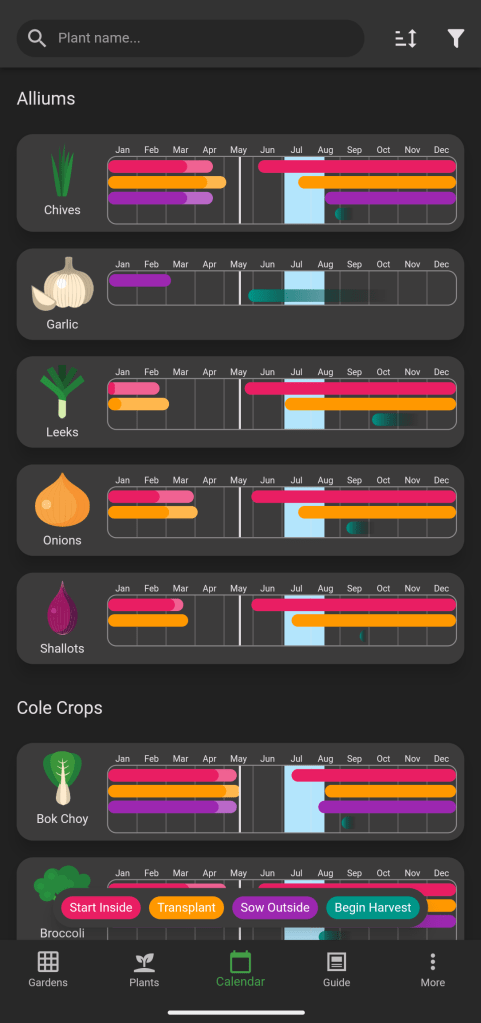
It’s also very easy to use, which is ideal as I can enter information and keep going. I do not have to stand there navigating through endless menus. I can see the possibility of having to add information about plants into the plant catalogue, especially if you wish to grow something out of the ordinary, but other than that, it is very quick and painless to use
For me, what made it stand out is that it allows you to create a grid-based image representing your garden bed. You can then place icons of the various plants you have sown in their respective place, making it easier to keep track of them, unlike many other apps that either list your plants or allow you to group them by bed or location. This visual element makes it so much easier to keep track of things.

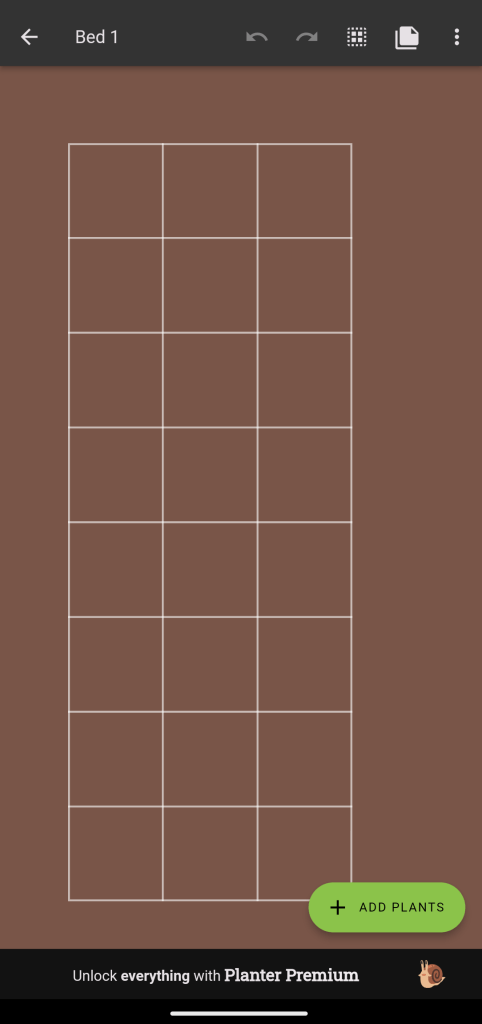
The free version has limited features and only allows you to make one bed. Thankfully, the premium version isn’t overly expensive at either $18.99 a year or $85.99 for life. If it goes well over the next couple of weeks, I will happily purchase the premium version, so I will just have to wait and see for now.
Legume
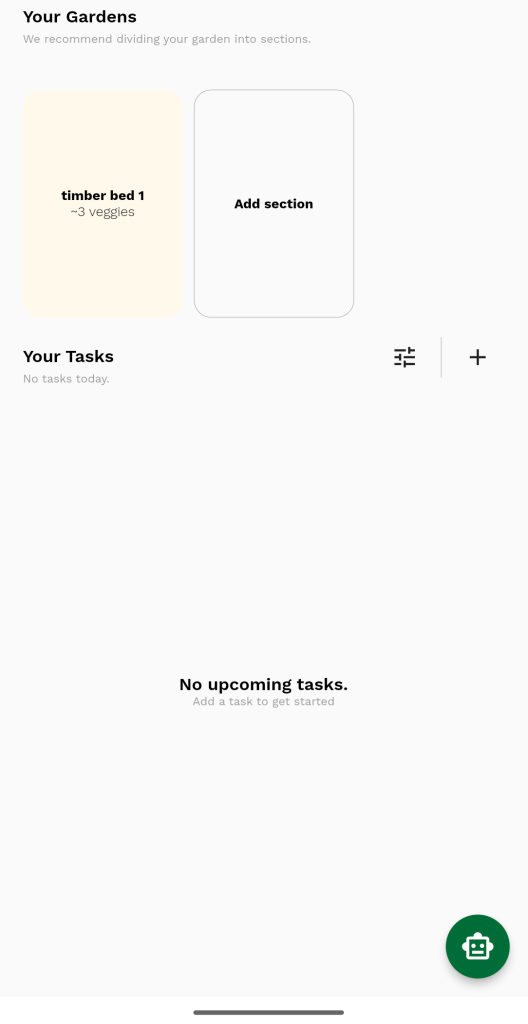
This was another smart-looking, well-polished app with a very easy-to-navigate interface. Initially, I was impressed as I could not find a paid version, and there was no sign of a paywall. It has some great features when it comes to organising your garden beds and even tracks the weather, telling you when it is going to rain next so you can water your plants accordingly. As I played with it, I began to notice a couple of problems. The first was that despite putting in my address, it only gave me information relevant to North America and American units of measurement.
Another point worth mentioning is that all the plants were named with their American names, which made it a bit tricky to add plants to my list of what I was growing. This brings me to the next issue I encountered: not only were many of the names American, which isn’t a big deal, but the catalogue of plants was very limited. So, I would have to manually enter all the information about the broad beans and pak choi I planted. This just added time I didn’t want to be spending on such an app. If I had to write all of that down for an app, I may as well be writing it down in a book.
So, despite its appearance and my initial thoughts on the app, I uninstalled it off my phone. If I were living in America, yeah, sure, I’d use it, but I’m not, and I don’t want to look for a converter every time I use it.
Garden Organizer
At first glance, Garden Organiser is a very basic and straightforward app. On the one hand, this is ideal as it makes navigation easier, but like Legume, it has a limited selection of plants to choose from, so you are again manually entering a lot of information.
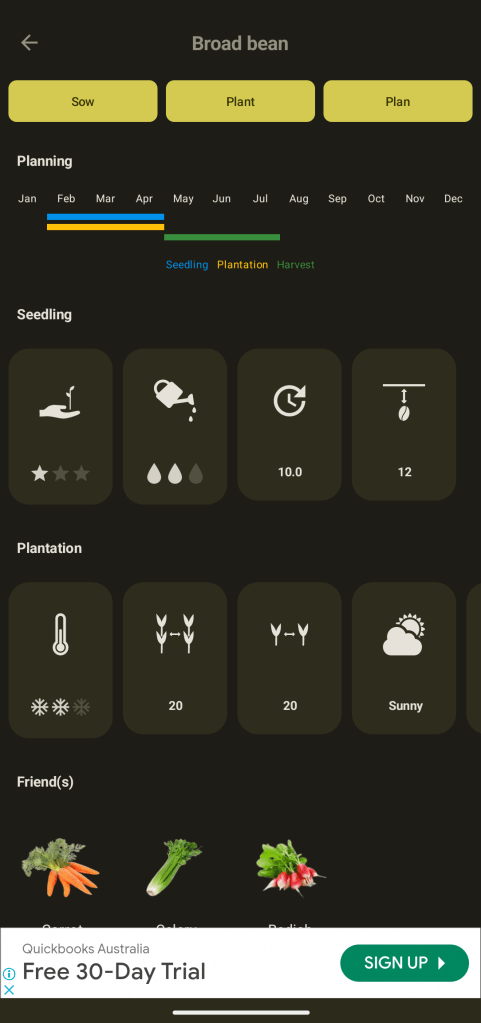
The paid version will set you back $4.69 per year; all it does is remove the ads, and there are no extra features. For the most part, the ads are minimal and barely noticeable, but they will occasionally be quite large and take up 40% of the screen.
It has one good feature similar to the garden bed layout from Planter. Although it looks a little rougher around the edges, it still does a great job of allowing you to re-create your garden layout and display it on your phone.
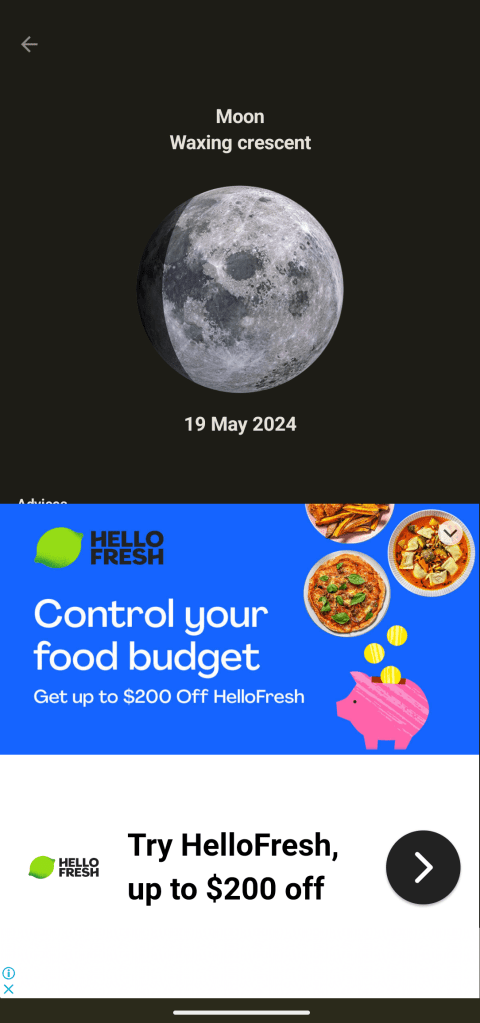
There is also a weather tracker, a lunar tracker, and a journal where you can make notes about your garden. Unfortunately, the deal breaker for me was that although it allows you to change your measurement system, it doesn’t allow you to set your location. Instead, it only allows you to change your hemisphere. I would like to have something a little more precise regarding location other than hemisphere. So because of this, I uninstalled it.
GrowIt
This app came with a lot of great features and was really easy to work around, which initially surprised me. It had the usual calendar, journal, growing wish list, pages to organise your beds and plants, and the usual plant catalogue that looked like it had a good selection of plants already entered. There was also a few new features I haven’t seen on an app like this yet with a part that focused on plant health. It allowed you to take a photo of an unwell or diseased plant and it would diagnose it from the picture. There was also a plant ID section that would ID any plants you took a picture of. I tried this out on a few indoor plants, and it had a 50% success rate. Needless to say, it didn’t fill me with confidence regarding the accuracy of the disease-identifying feature.
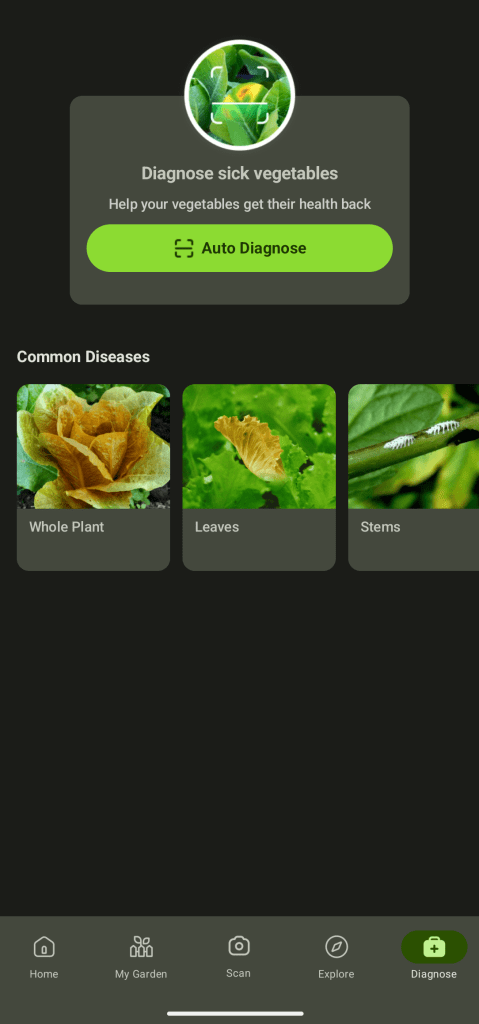
Location and measurement settings could be adjusted to Australian preferences. Although all Australian growing regions were just rolled into one, I could not find a way to set a more precise location.
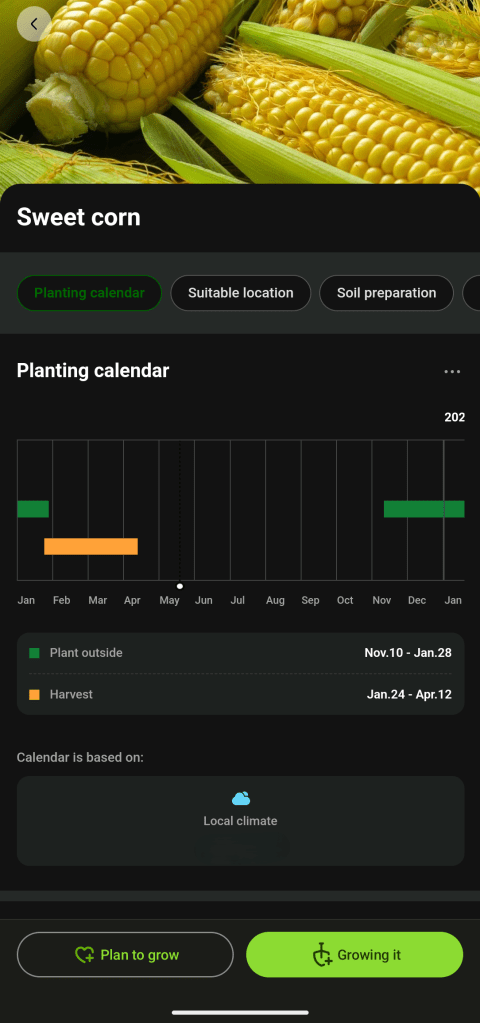
As well presented and polished as this app looked, like so many more, the cracks began to appear after looking at it long enough. The dates that the growing Calendar gave seemed off, but as I said earlier, lumping an entire continent into one growing region is bound to cause some trouble with sowing guidelines. At one point, the app also recommended that now is the perfect time for me to plant my pineapple plants. I can’t say I’ve ever heard of pineapple being grown this far south in Tasmania, especially as we enter winter.
And then there was the price tag. There was no free version, as the app only allowed you a 7-day trial. After that trial, should you wish to continue, they charged an eye-watering $68.99 per year.
Some people may be OK with that and happy to pay for it, but given plenty of other apps out there that do the same thing for free. I won’t be parting with that kind of money for an app anytime soon. After playing with it for a few days, I uninstalled it.
Gardenate
This is a basic, easy-to-use little app that ticks a lot of boxes. To begin with, its location settings are the most accurate I have seen out of the apps I have looked at today. This means that the growing recommendation calendar is also bang on regarding dates of when you can sow or transplant your plants. Other than the My Garden tab it doesn’t have any method of organising the plants you have marked as sown, other than the image of a little plant next to it. It would be nice if it allowed my to group everything by what bed I have sown or planted in in. It has an impressive catalogue of plants available, of course. The option to add more is available if you wish. But I haven’t had to yet.
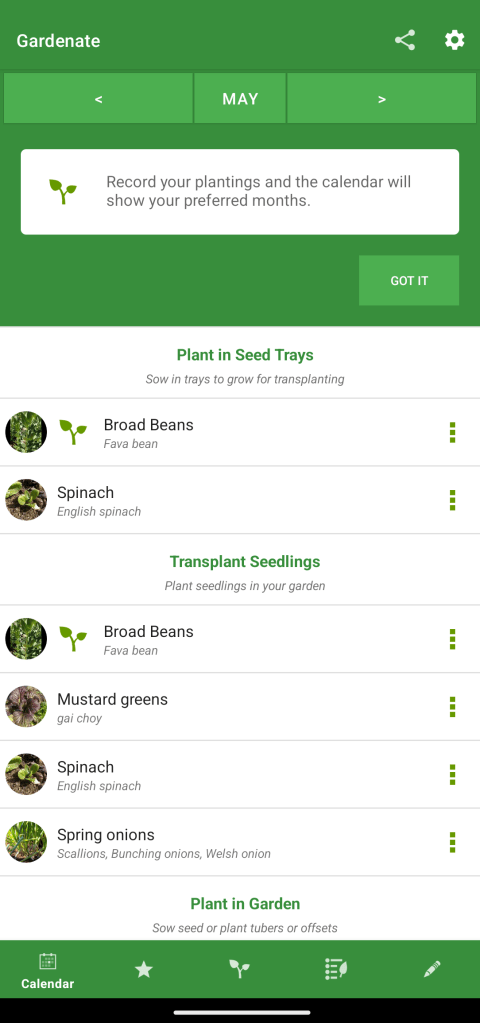
Navigating is effortless, as all the tabs you need are at the bottom of the screen. And there are few to no menus to bog you down, allowing you to enter the information you need quickly. However, I get the impression that organising that information could be a little tricky as there are not many ways to organise and sort it.
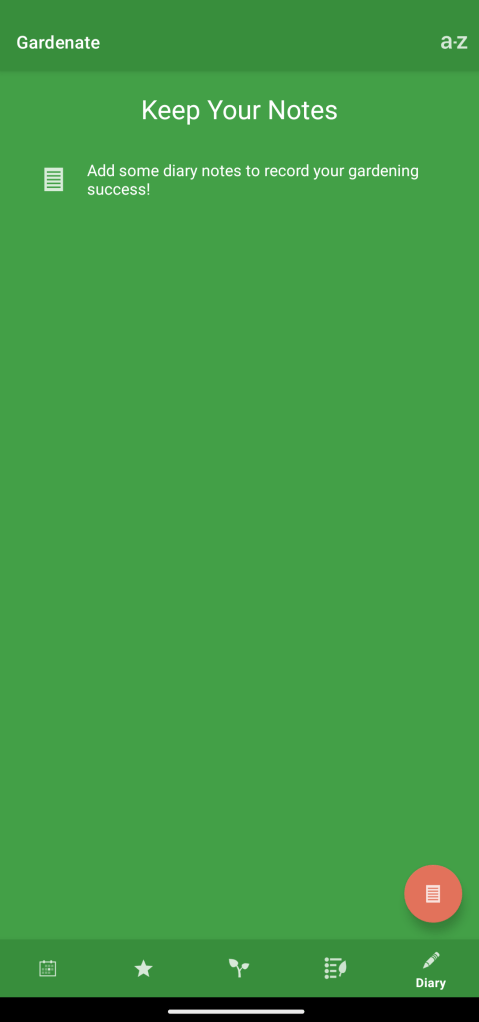
The free version contains ads, but they are barely noticeable. If you want to upgrade to the premium version to get rid of them, they only ask for $1. And that’s a lifetime purchase, not a subscription. Not a bad deal if you ask me.
Needless to say, this is one that I will hang onto for the next couple of weeks to see how it goes.
In summary
And there we have it. Three of the five apps were deleted, and I will continue using Gardenate and Planter for the next few weeks. This isn’t to say the apps I deleted were terrible in any way. Some of them had some great features. But at the end of the day, I wanted something that doesn’t cost an arm and a leg, doesn’t require me to sit down and enter lengthy blocks of information, and contains the bare facts and points of information I would need while out and about in the garden and otherwise away from my books and desk. The apps I rejected may be ideal for you or others, so I recommend checking them out if you’re interested. For me, however, they just didn’t do what I wanted. The two I have selected will be reviewed again after a short while, and I will let you know if I think they will be helpful for the upcoming spring season.
There were other apps that I tried before selecting these. All in all, I originally downloaded a dozen or so and then whittled it down to these five. I didn’t include some of the others as, for the most part, they were mostly just copies of the same thing but with a different colour scheme or seemed more intended for indoor plant use.
If you happen to have a gardening app I didn’t cover that helps you keep it all under control, and that you couldn’t live without, please mention it in the comments. I would love to look and see what apps others prefer and recommend.
And with that, there we come to the end of another post. Next week, I will talk about some upgrades I have made to the indoor propagation system and give an update on its success so far and my plans for it in the future.
So, until next time, thanks for dropping in, and have yourself a good one. Catch you later.
 Vandemonian Homesteader
Leave a comment